
Reverb Calculator: Made calculations simple
Reverb Calculator: Calculate Reverb Time & Room Acoustics
A reverb calculator takes the guesswork out of understanding that effect, giving musicians, audio engineers, architects, and podcasters a fast way to estimate reverberation time, decay time, and other key acoustic properties of a space or a digital effect. In this guide, we’ll break down what a reverb calculator does, the science behind it, and how to use one effectively — whether you’re mixing a track or designing a recording studio.
Balanced
0.00 s
Estimated RT60 (Sabine formula)
Add your room dimensions and surfaces to see an estimate.
| Note value | Time (ms) | Typical use |
|---|
What Is a Reverb Calculator?
What is Reverb Calculator ?
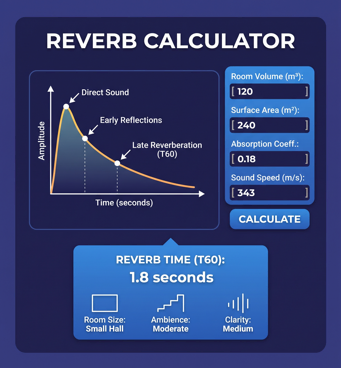
A reverb calculator is a tool that estimates how long sound persists in a space after the original source stops. This lingering sound is called reverberation, and it’s different from an echo, which is a distinct, repeated reflection of sound. Reverb calculators typically compute a value known as RT60 — the time it takes for a sound to decay by 60 decibels, effectively becoming inaudible.
These tools are used in two main contexts:
- Room acoustics and studio design — estimating how a physical room will sound based on its dimensions, surface materials, and volume.
- Digital audio production — calculating reverb decay times, pre-delay, and other parameters to sync reverb effects with a song’s tempo (BPM) inside a DAW (Digital Audio Workstation).
Both use cases rely on similar underlying math, even though the applications differ.
The Science Behind Reverb: RT60 and the Sabine Formula
The most widely used formula for calculating reverberation time is the Sabine equation, developed by physicist Wallace Clement Sabine in the early 1900s. It’s expressed as:
RT60 = 0.161 × V / A
Where:
- V = volume of the room in cubic meters
- A = total sound absorption in the room (measured in sabins), calculated by multiplying each surface’s area by its absorption coefficient and summing the results
A reverb calculator automates this formula. You input the room’s length, width, and height, along with the absorption coefficients of the floor, ceiling, and walls (based on materials like carpet, drywall, glass, or acoustic foam), and the calculator instantly returns an RT60 value in seconds.
For rooms with highly uneven absorption or complex geometry, some calculators use the Eyring formula instead, which offers more accurate results in “live” (highly reflective) spaces where the Sabine formula tends to overestimate decay time.
Why Reverberation Time Matters
RT60 isn’t just a technical curiosity — it has a real impact on how usable a space is for specific purposes:
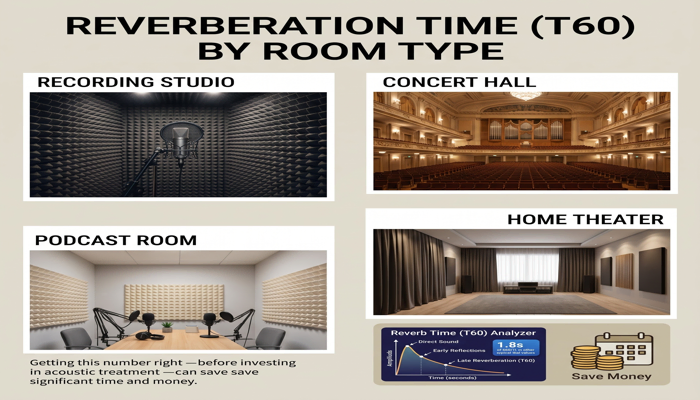
- Recording studios and vocal booths typically aim for a short RT60 (0.3–0.5 seconds) to keep recordings dry and controllable.
- Concert halls often target longer RT60 values (1.5–2.5 seconds) to create a rich, immersive sound for orchestral or choral music.
- Home theaters and conference rooms usually fall somewhere in between, balancing speech clarity with natural warmth.
- Podcast and voiceover rooms need low reverberation to avoid muddying spoken word recordings.
Getting this number right — before investing in acoustic treatment or construction — can save significant time and money.
Reverb Calculators in Music Production
Beyond physical room acoustics, reverb calculators are essential for digital audio production. When adding reverb to a track inside software like Ableton Live, Logic Pro, or FL Studio, producers often want the reverb’s decay time or pre-delay to be rhythmically related to the song’s tempo. This creates a sense of cohesion rather than a reverb tail that feels disconnected from the beat.
A tempo-based reverb calculator typically works using this relationship:
Note duration (ms) = 60,000 / BPM × note value multiplier
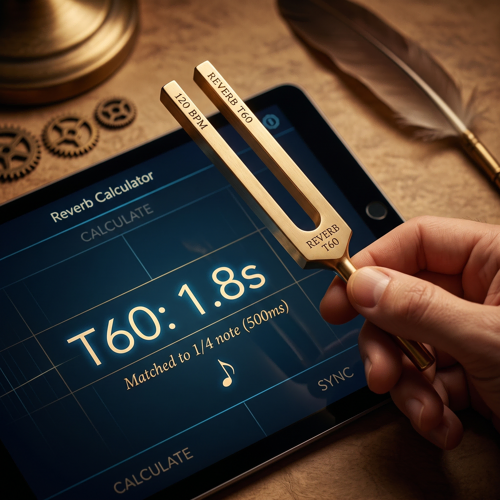
For example, at 120 BPM, a quarter note lasts exactly 500 milliseconds. Producers use this figure to set:
- Pre-delay — the gap between the dry signal and the onset of reverb, often set to a 16th or 32nd note.
- Decay time — how long the reverb tail lasts, frequently matched to an eighth, quarter, or dotted-eighth note.
- Reverb sync in delay-based effects — ensuring reverb and delay work together rhythmically instead of clashing.
This is especially useful in genres like ambient, cinematic scoring, and electronic music, where reverb is a defining textural element rather than just a way to add “space.”
How to Use Reverb Calculator Effectively
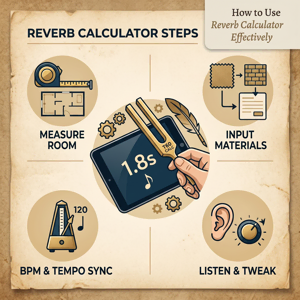
- For room acoustics: Measure your room’s dimensions accurately, and identify the primary surface materials (carpet vs. hardwood, drywall vs. concrete, curtains vs. bare windows). Input these into the calculator to get an estimated RT60, then compare it against recommended values for your intended use.
- For music production: Know your track’s BPM. Use a tempo-based reverb calculator to find millisecond values for pre-delay and decay time, then dial those numbers into your reverb plugin manually or use a plugin with built-in tempo sync.
- Iterate: Acoustic calculations are estimates, not guarantees. Always listen critically and adjust — whether that means adding acoustic panels to a room or tweaking a plugin’s decay knob by ear.
Final Thoughts
A reverb calculator bridges the gap between acoustic theory and practical application, whether you’re treating a home studio for cleaner vocal recordings or dialing in a lush, tempo-synced reverb tail for a mix. By understanding the math behind RT60, the Sabine and Eyring formulas, and tempo-based reverb timing, you can make more informed decisions and get professional-sounding results faster — without relying purely on trial and error.
Common questions
Reverb calculator - FAQs
Everything you need to know about calculating RT60 and syncing reverb to tempo.